The Agreement vault
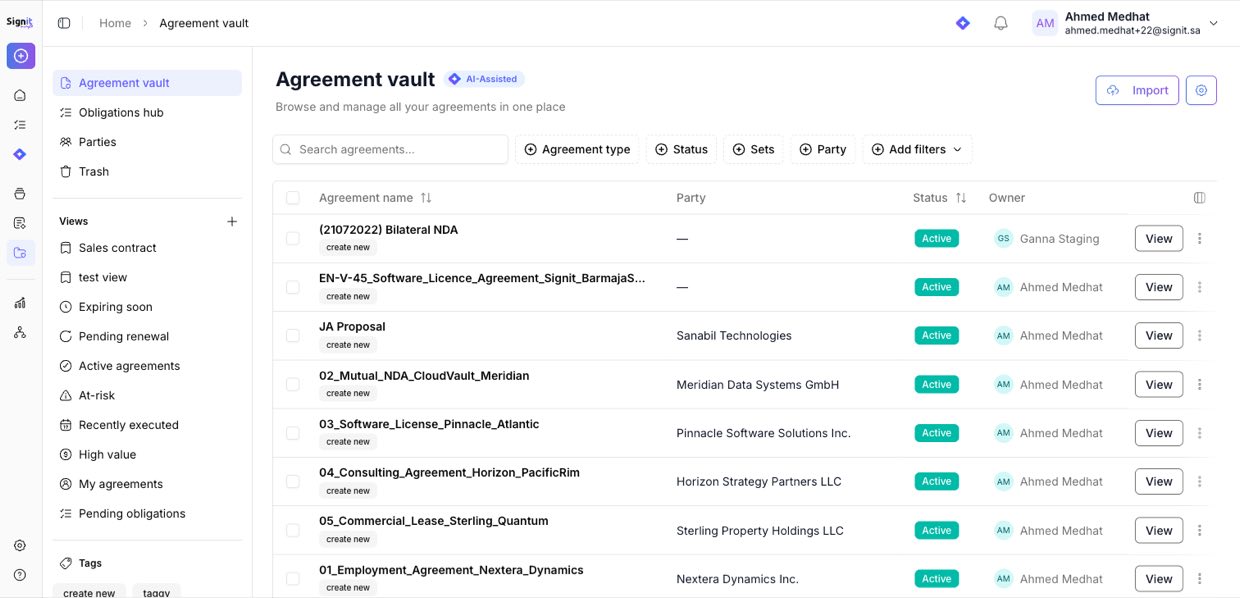
Every contract you sign in Signit — or upload from elsewhere — lives in the Agreement vault. Signit's AI reads each one and extracts its key terms, so your whole contract portfolio becomes searchable, filterable, and trackable. This is where e-signature turns into contract lifecycle management.
Browse and filter your agreements
Open the Agreement vault to see all your contracts in one list. Use the built-in lifecycle views — Expiring soon, Pending renewal, At-risk, High value — or filter by type, status, and party to find exactly what you need.
See a contract's key terms at a glance
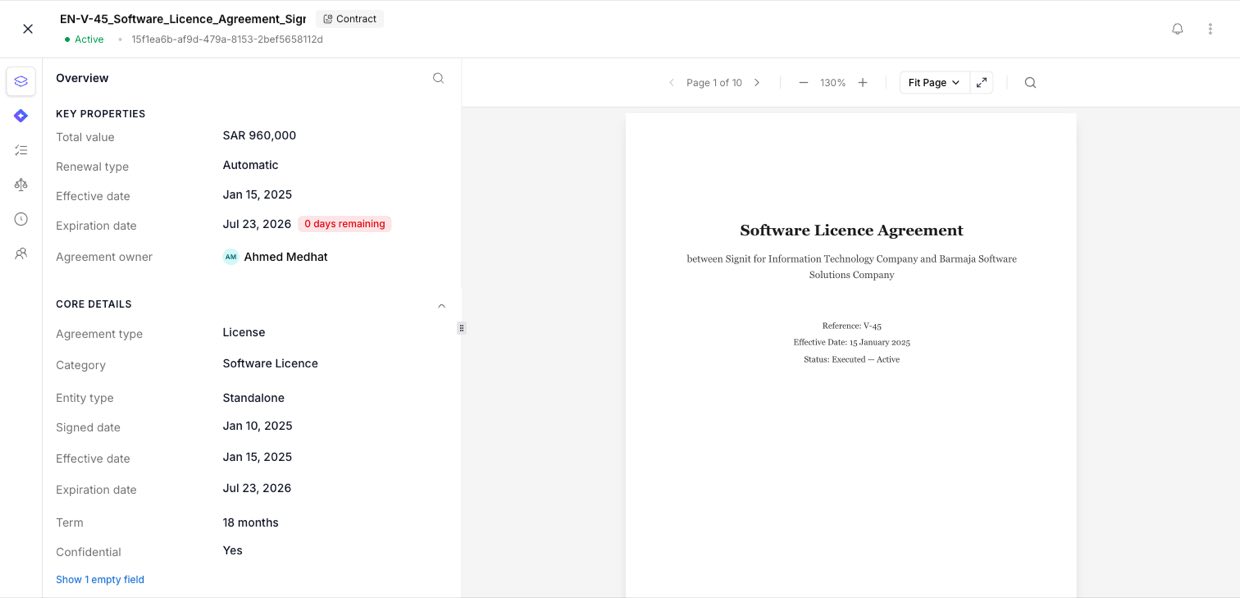
Open any agreement to see its AI-extracted details beside the document — total value, renewal type, effective and expiration dates, term, parties, and confidentiality — with a clear countdown to key dates.
Stay ahead of renewals and obligations
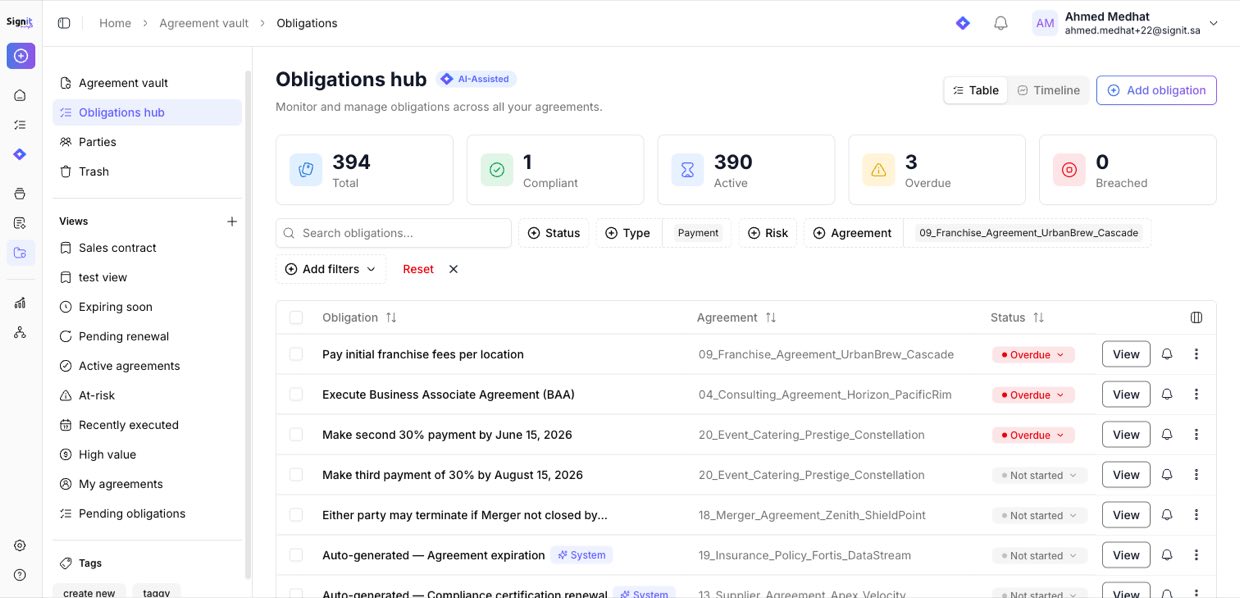
The Obligations hub tracks every commitment across your agreements — payments, renewals, compliance tasks — each with a status (active, overdue, breached) and owner, so deadlines never slip.
Need help?
Want help getting your contracts into the vault? Contact the support team.
Signit support team
Reach out any time — or contact your dedicated account manager.
Was this article helpful?