What is the Agreement vault?
The Agreement vault is where all your agreements live in one place — searchable, filterable, and tracked for renewals and obligations. You can bring in documents signed elsewhere by uploading them, and Signit's AI automatically extracts key details from each one.
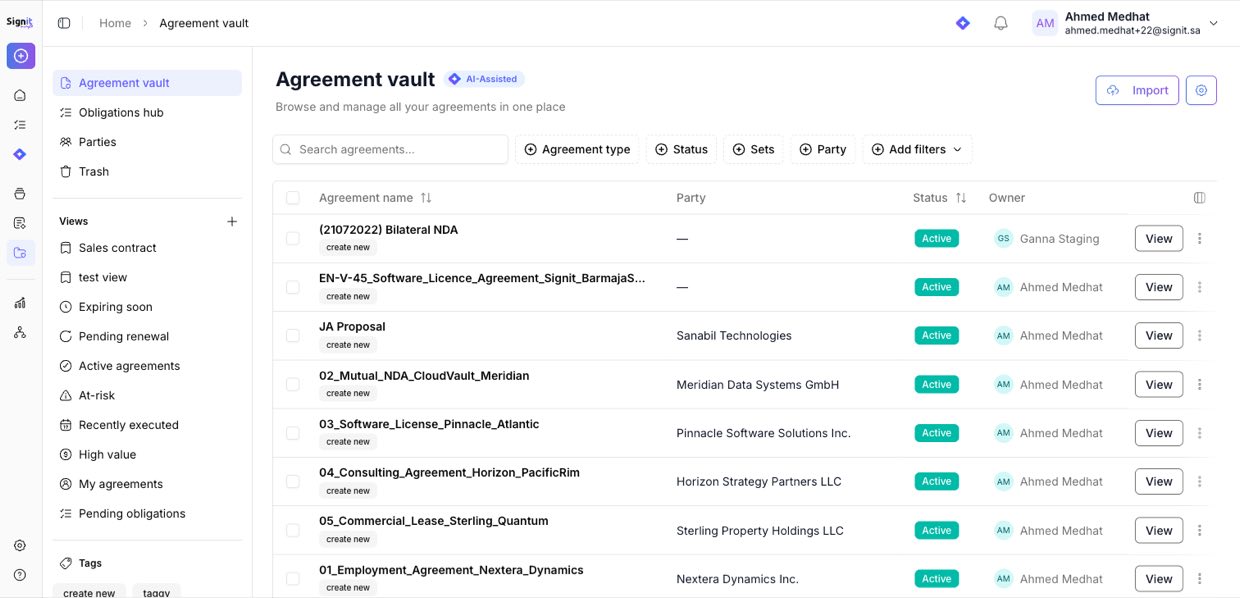
Step 1: Open the Agreement vault
Step 1 of 3From the sidebar, open Agreement vault, then click Import (top-right).
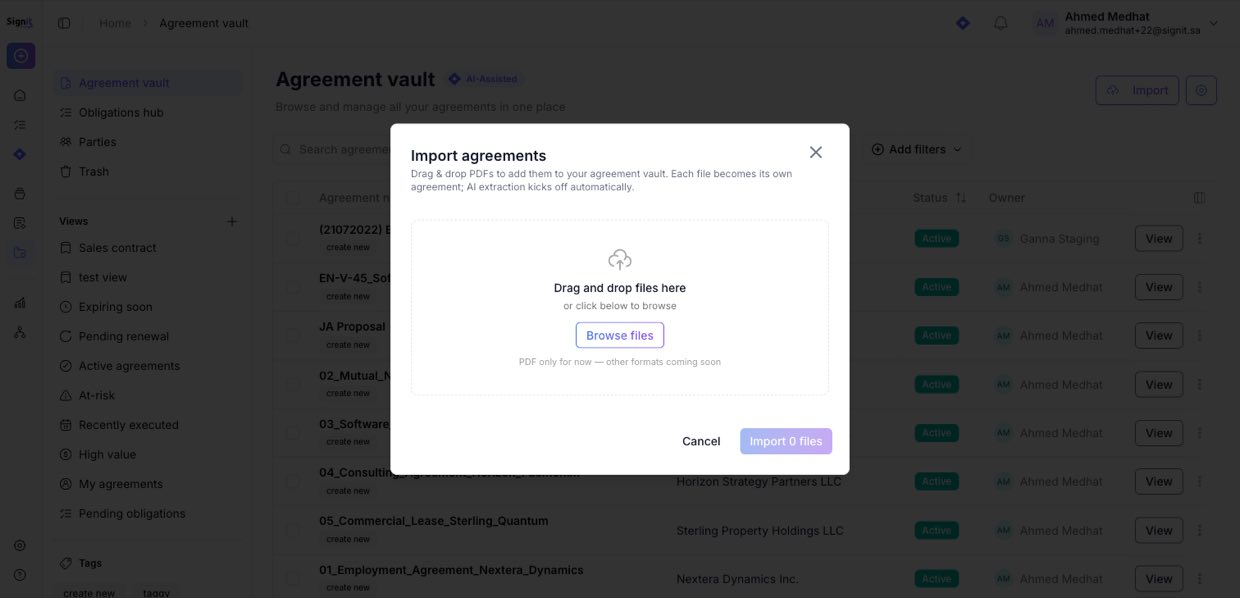
Step 2: Add your PDFs
Step 2 of 3Drag & drop your PDF files, or click Browse files to pick them. Each file becomes its own agreement, and AI extraction kicks off automatically. (PDF is supported today; more formats are coming.)
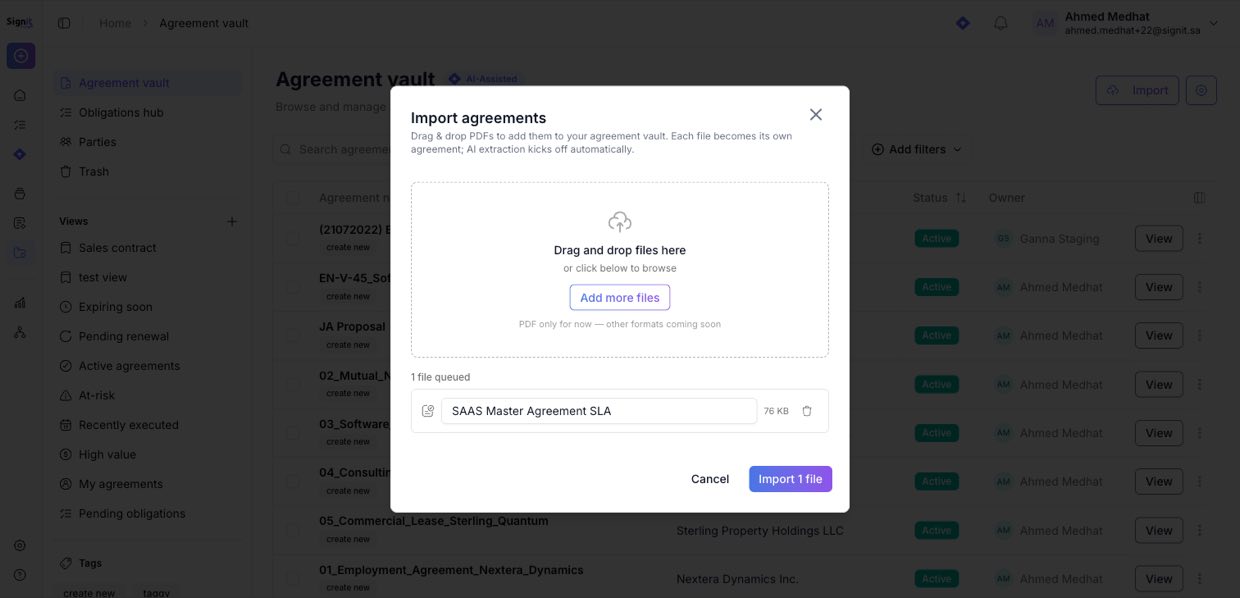
Step 3: Import
Step 3 of 3Review the queued files, then click Import. Your agreements appear in the vault — ready to search, filter, assign parties, and track for renewals and obligations.
Need help?
If you get stuck at any step, contact the Signit support team.
Signit support team
Reach out for help — or contact your dedicated account manager for urgent issues.
Was this article helpful?