Sending a document for signature
A signature request is any document you send to one or more people to sign, review, or receive. From New document you upload or build the file, add participants, place the fields they need to complete, and send — Signit handles delivery, reminders, and tracking.
Step 1: Start a new document
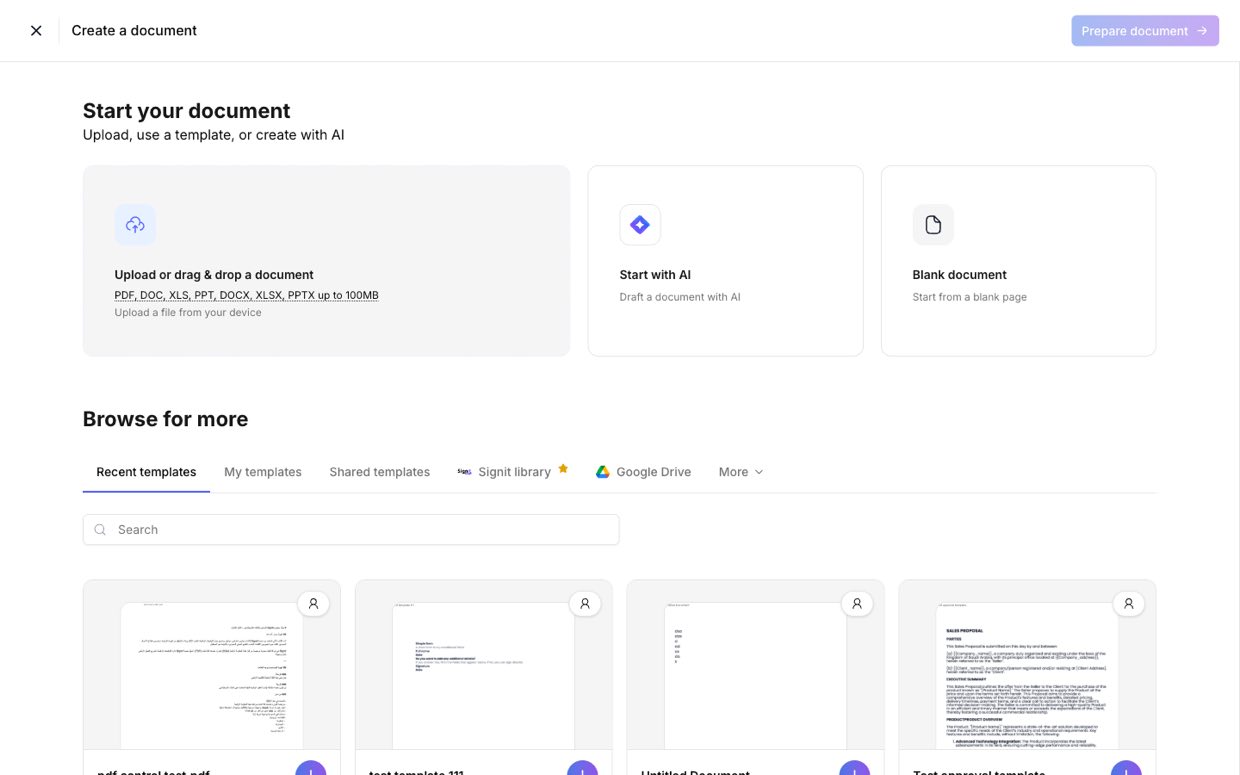
Step 1 of 4From the dashboard, click New document — or Start new document. You can begin in several ways: upload a file from your device, start with AI, pick a template, or open a blank document. In this guide we'll upload a PDF (here, a SaaS Master Agreement), then click Prepare document.
Step 2: Add participants
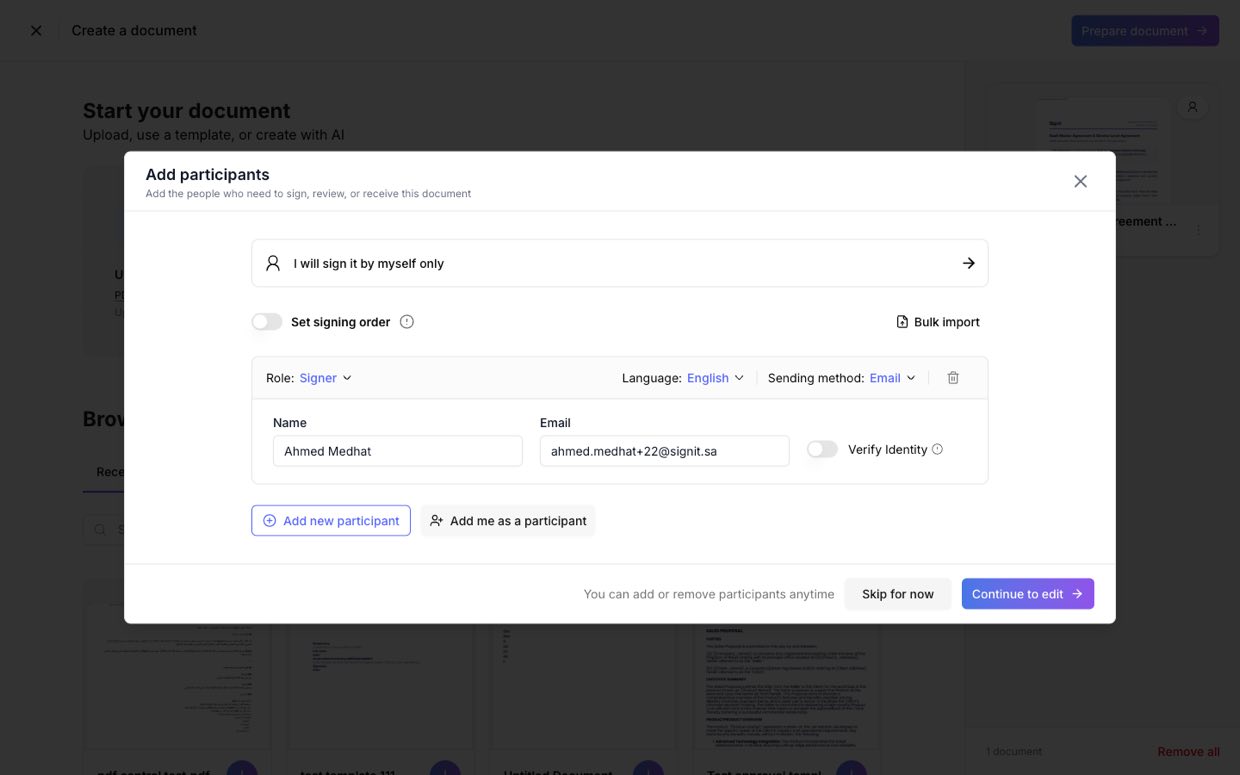
Step 2 of 4In the Prepare to send panel, click Add participants to add everyone who needs to sign, review, or receive the document — or choose I am the only signer if it's just you.
Step 3: Place the fields
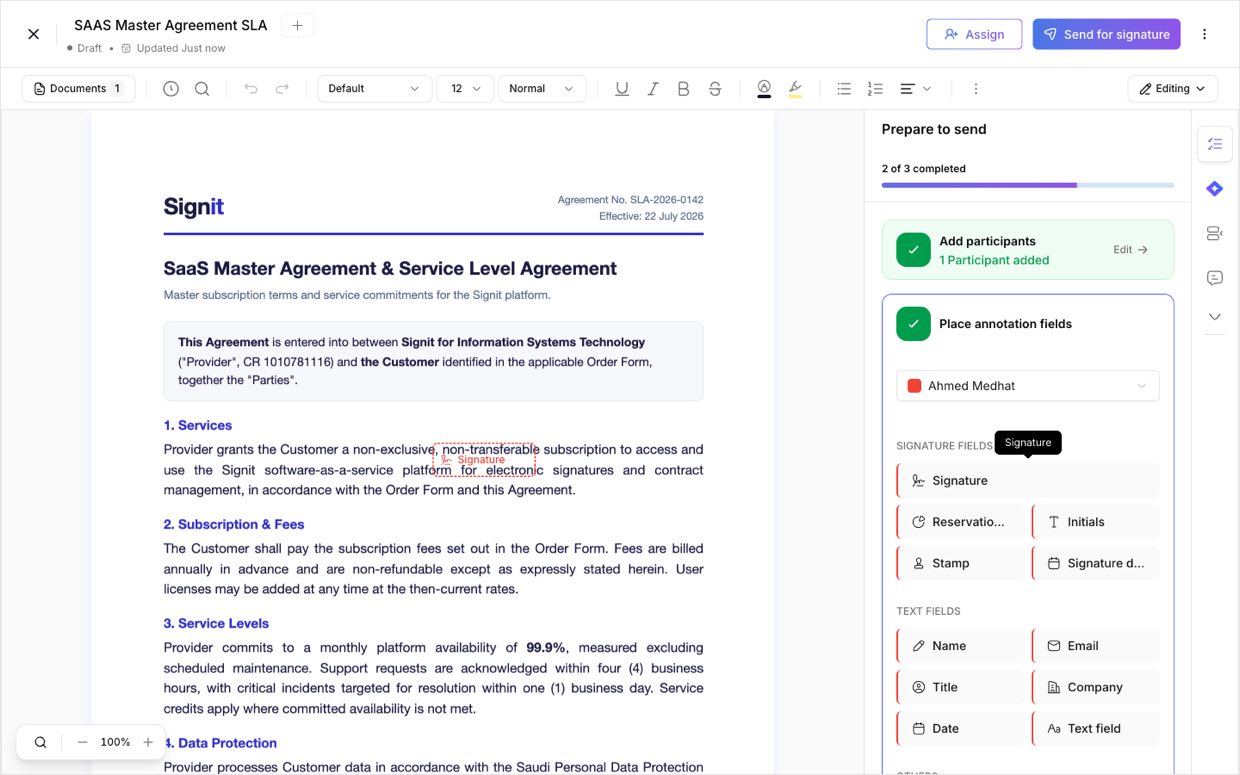
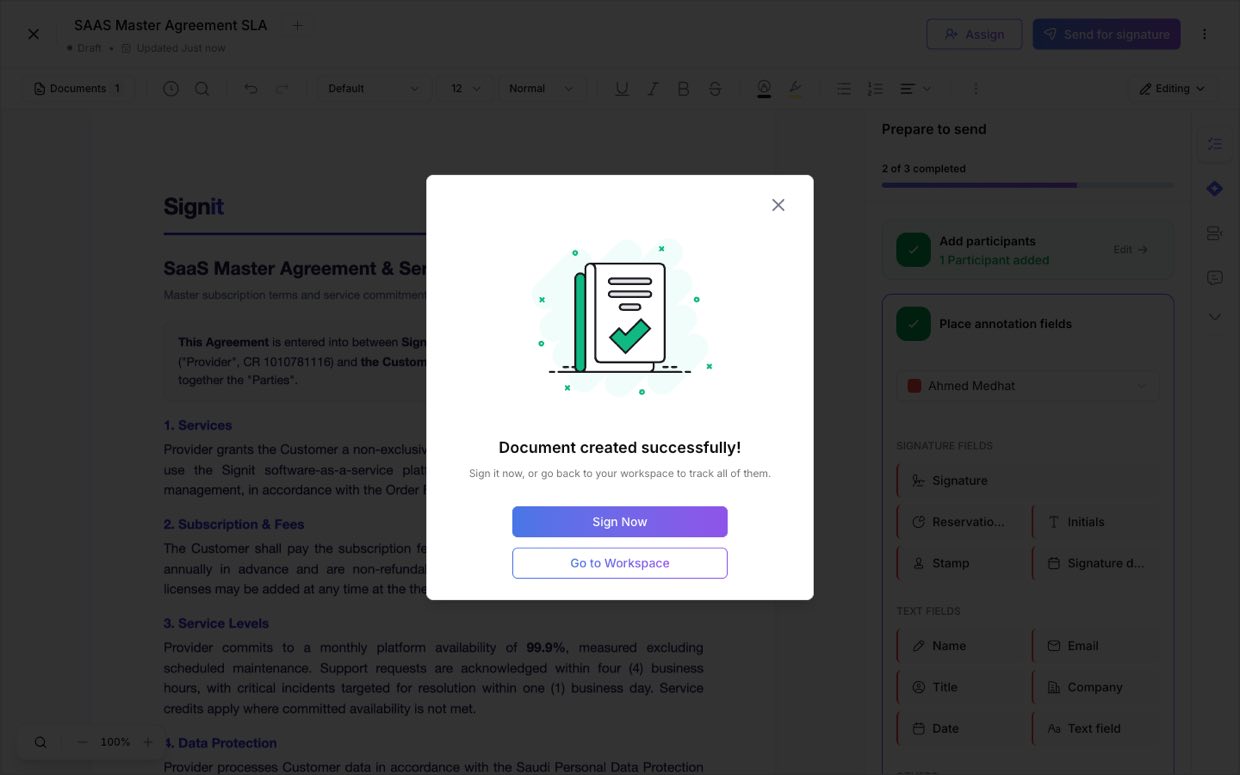
Step 3 of 4Drag and drop signature, initial, date, and text fields onto the document, assigning each to the right participant so everyone knows exactly where to act.
Step 4: Send for signature
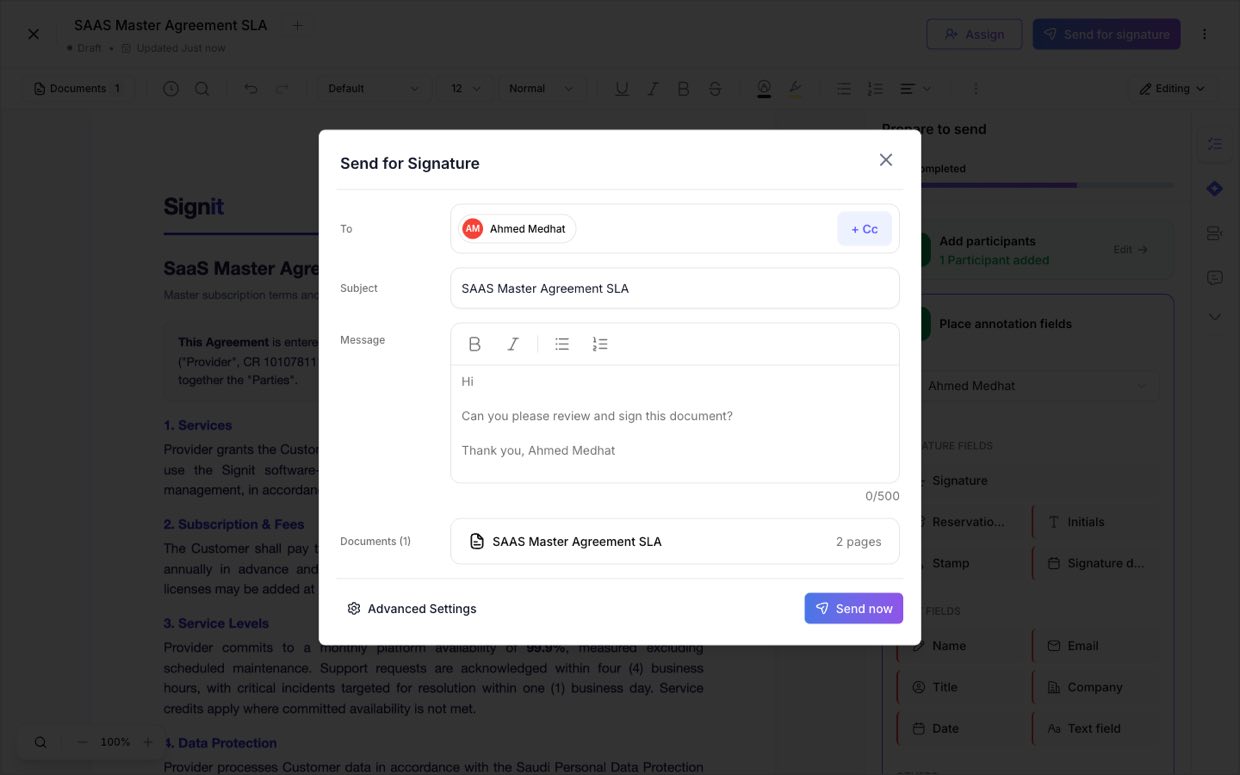
Step 4 of 4You can skip the optional Ask for approvals step and click Send for signature right away. Review the recipients, subject, and message, then click Send now — Signit delivers the request, collects signatures in order, and tracks the document to completion.
Need help?
If you get stuck at any step, contact the Signit support team.
Signit support team
Reach out for help — or contact your dedicated account manager for urgent issues.
Was this article helpful?