What are tasks for?
Tasks let you bring a colleague into a document to review it, comment, suggest edits, or make changes — each with a clear owner and due date — before it's sent for signature. You assign them right from the document editor.
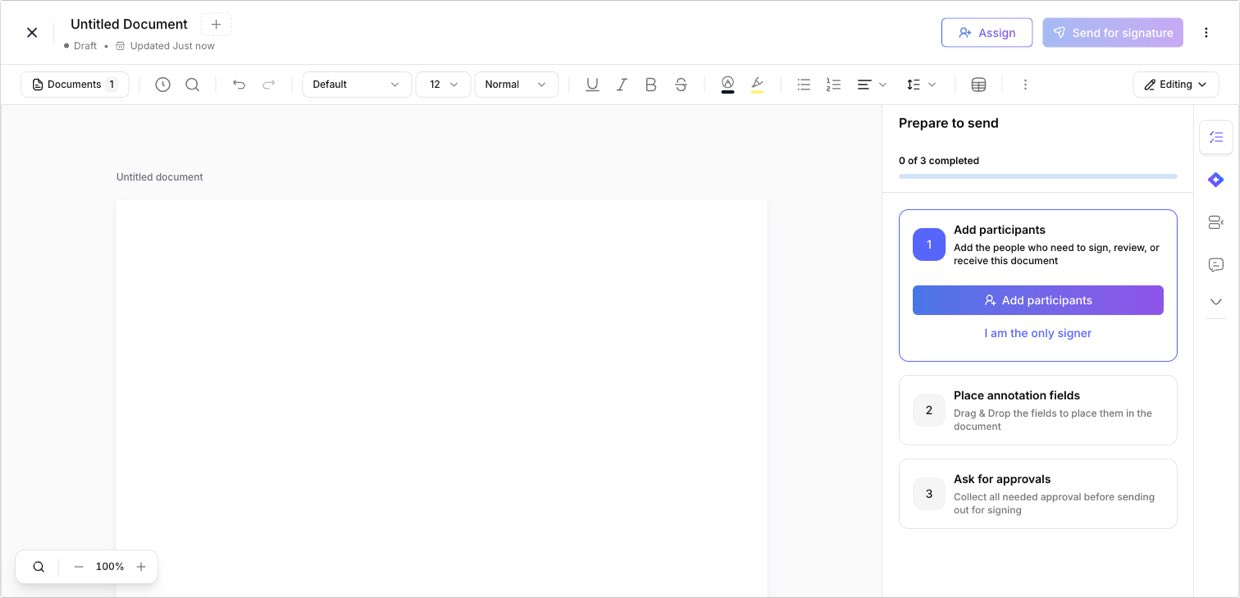
Step 1: Click Assign in the editor
Step 1 of 2Open the document in the editor and click Assign in the top bar.
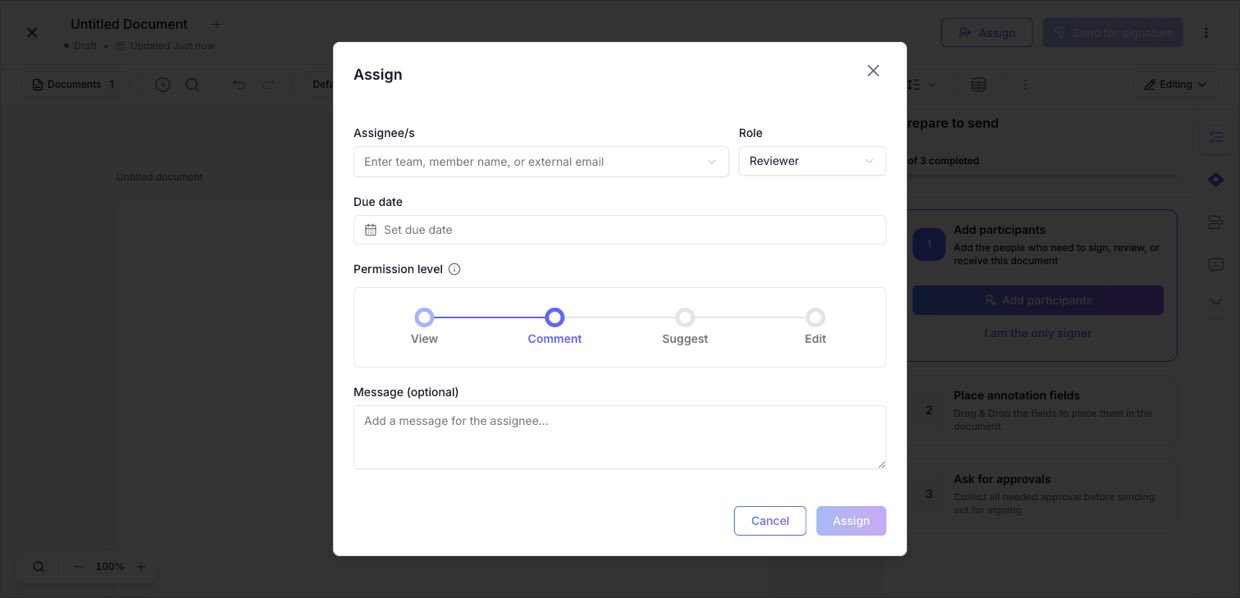
Step 2: Fill in the task and assign
Step 2 of 2Choose the assignee (a team, member, or external email) and their role, set a due date and permission level (View, Comment, Suggest, or Edit), add an optional message, then click Assign. They're notified and the task appears in their Tasks.
Need help?
If you get stuck at any step, contact the Signit support team.
Signit support team
Reach out for help — or contact your dedicated account manager for urgent issues.
Was this article helpful?