What is an approval workflow?
An approval workflow controls who must approve, review, or view a document and in what order, before it's sent for signing. Build it once, then reuse it — or attach it to a template — so every document follows the same internal sign-off.
Step 1: Open Approval workflows
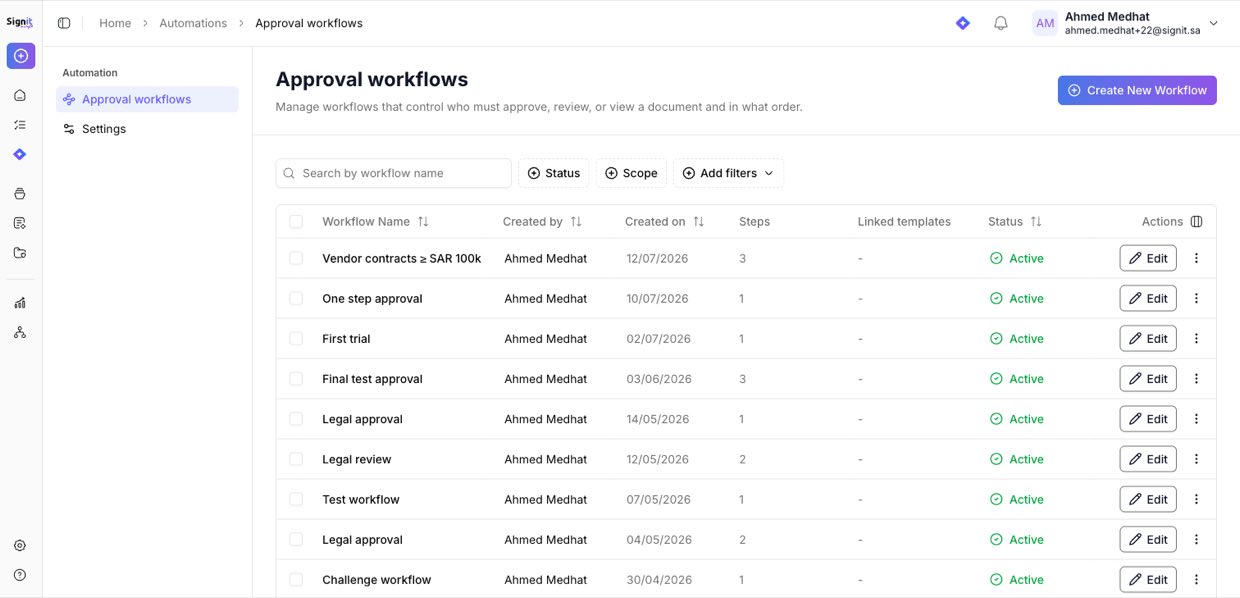
Step 1 of 3Go to Automation → Approval workflows, then click Create New Workflow. This page also lists every workflow you've already built.
Step 2: Name the workflow
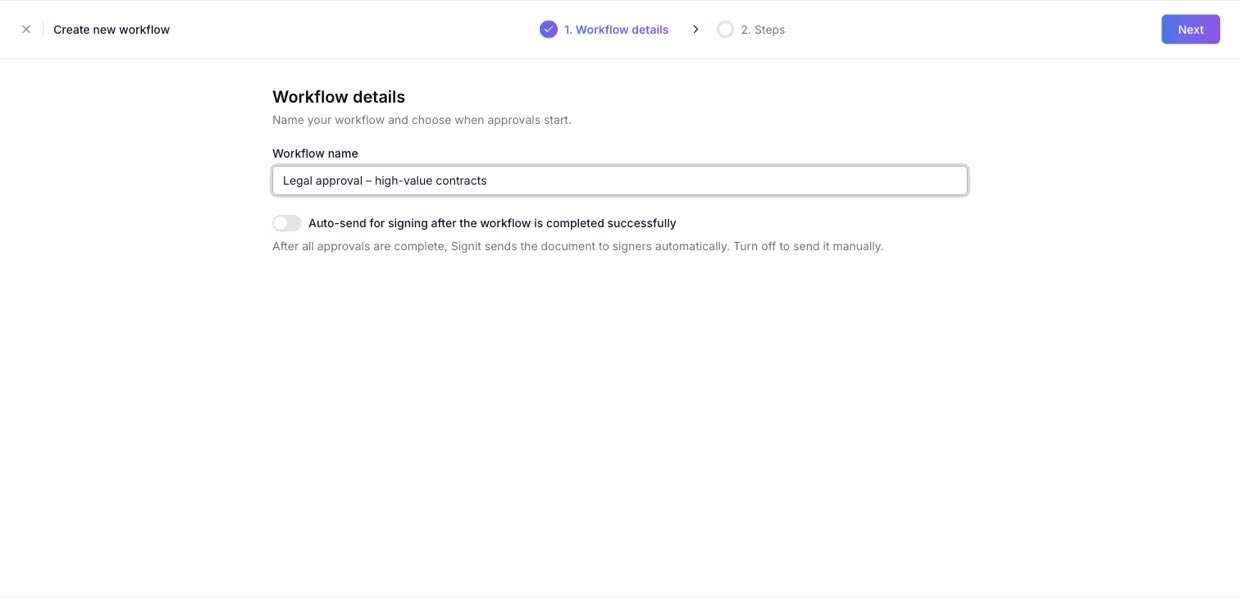
Step 2 of 3Give the workflow a clear name (for example, Legal approval – high-value contracts). Optionally turn on Auto-send for signing so Signit sends the document to signers automatically once all approvals are complete.
Step 3: Define the steps
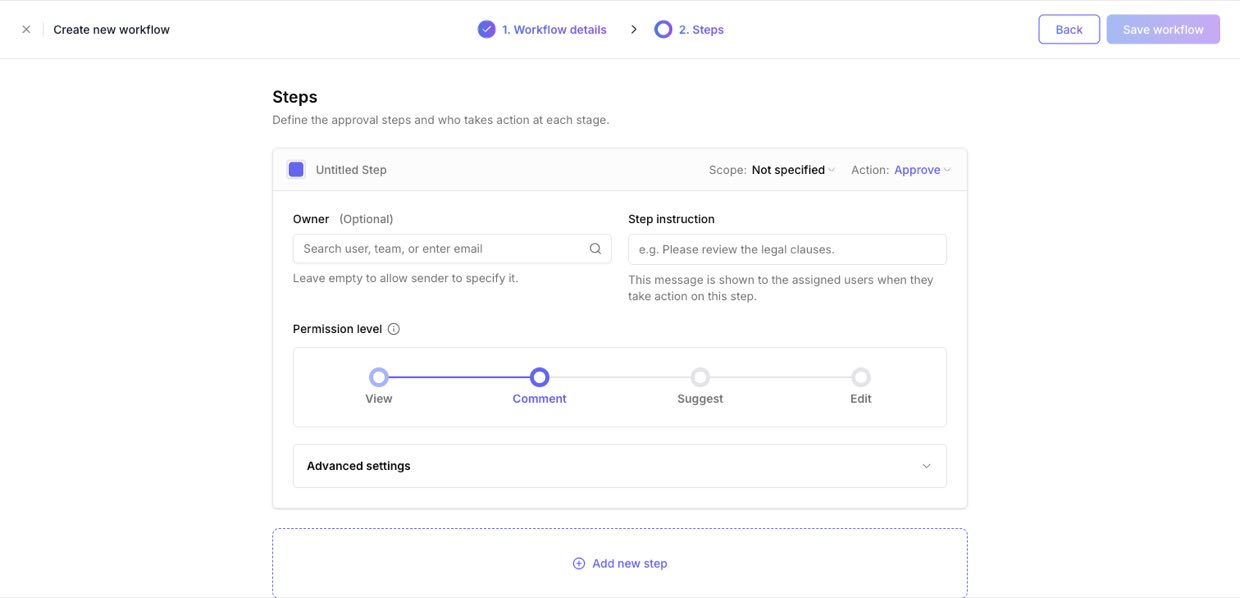
Step 3 of 3Add the approval steps. For each step set the owner (a user or team), the action (approve or review), the permission level (View, Comment, Suggest, or Edit), and an optional instruction. Click Add new step for multi-stage sign-off, then Save workflow.
Need help?
If you get stuck at any step, contact the Signit support team.
Signit support team
Reach out for help — or contact your dedicated account manager for urgent issues.
Was this article helpful?