What is bulk send?
Bulk send is for when the same document needs to be signed by many people individually — not on one shared copy. You prepare the document once and upload a list of recipients; Signit creates a separate signature request for each person and tracks them together.
Use it for:
- Onboarding — send the same agreement to every new employee.
- Policy updates — collect acknowledgments across the whole company.
- Customer rollouts — reissue a contract to hundreds of accounts at once.
Step 1: Start a bulk send
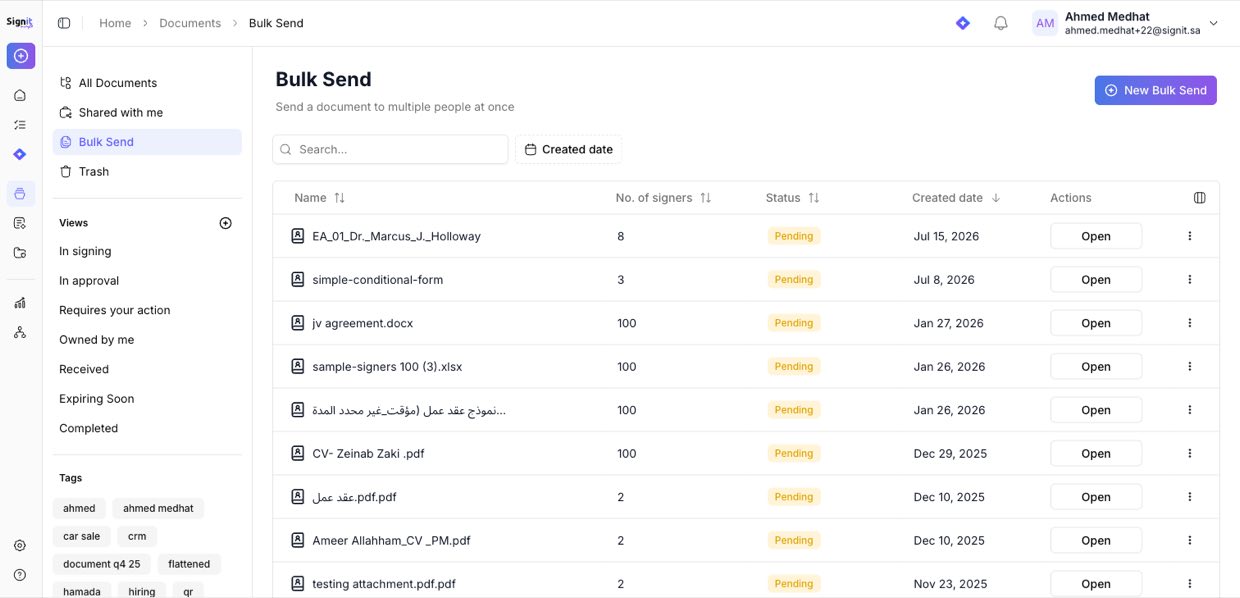
Step 1 of 4From the sidebar, open Bulk Send and click New Bulk Send. This is also where you'll come back to track everything you've sent.
Step 2: Add your document and import signers
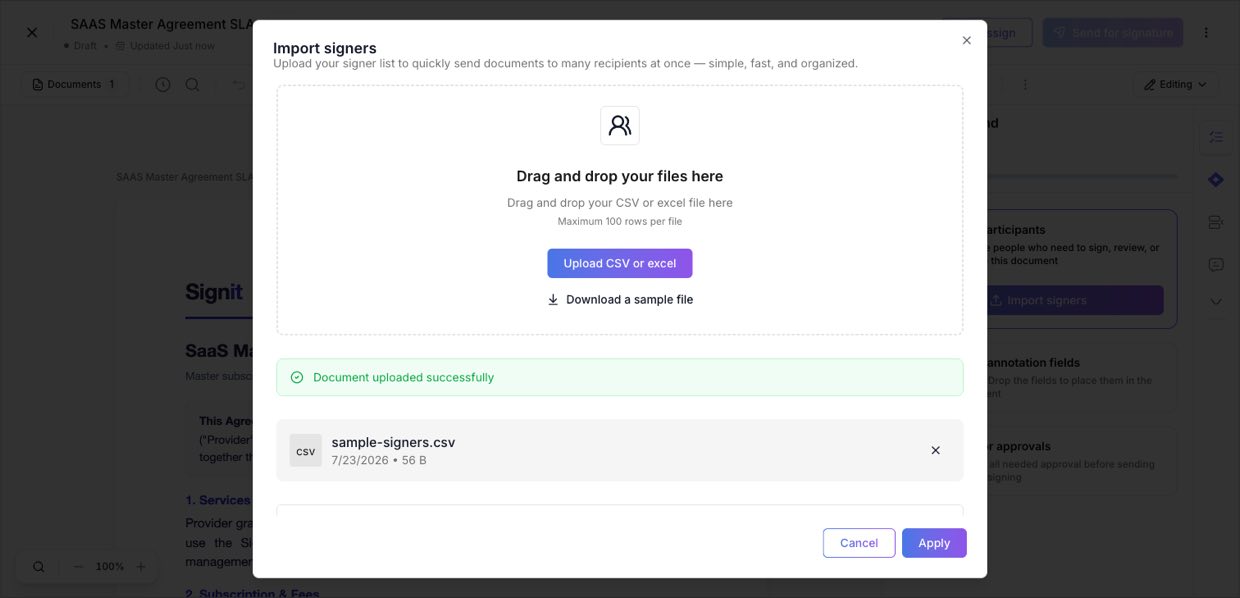
Step 2 of 4Upload the document (or pick a template) and click Prepare document. Under participants, choose Import signers and upload a CSV or Excel file — up to 100 rows. Each row is one signer (a name and email column); use Download a sample file to get the format right, then click Apply.
Step 3: Prepare the fields once, for everyone
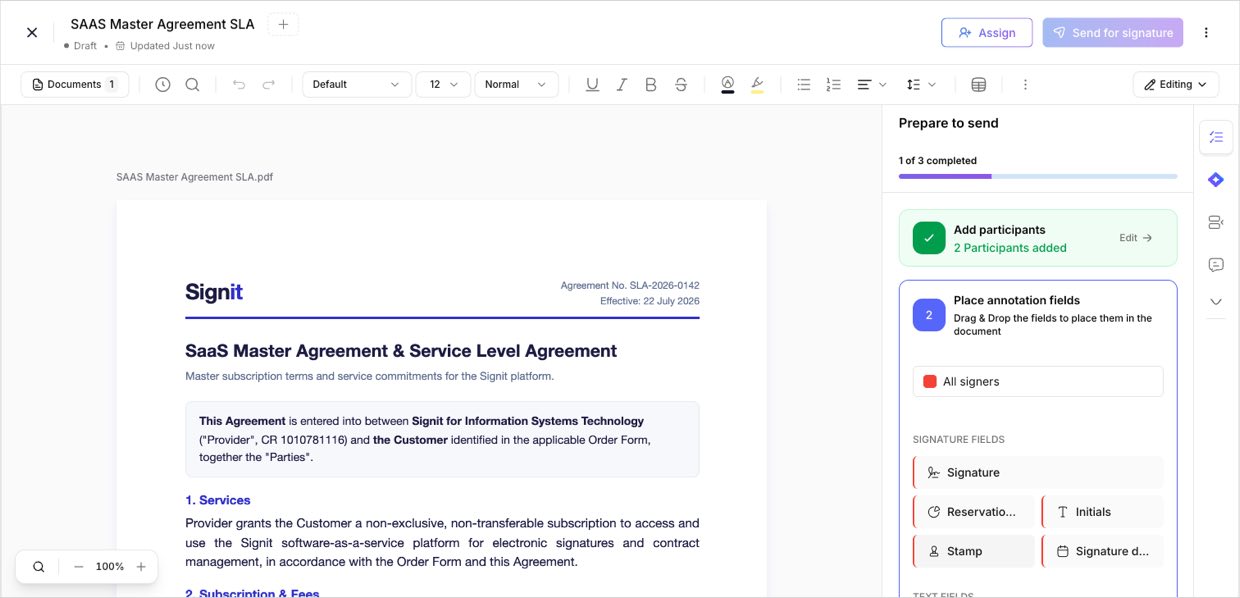
Step 3 of 4Place the signature and other fields on the document a single time — Signit applies the same layout to every recipient's copy. When it looks right, click Send for signature.
Step 4: Track and send reminders
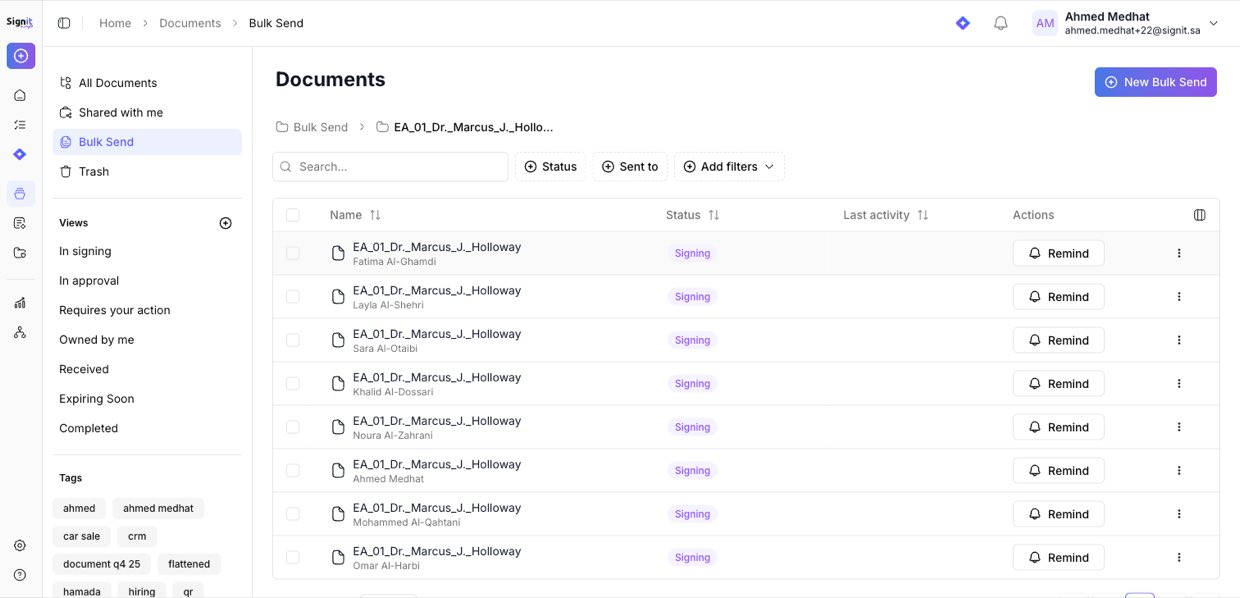
Step 4 of 4Every recipient's request appears under the bulk send with its own status. Open it to see who has signed and who's still pending, and click Remind to nudge anyone outstanding.
Need help?
If you get stuck at any step, contact the Signit support team.
Signit support team
Reach out for help — or contact your dedicated account manager for urgent issues.
Was this article helpful?